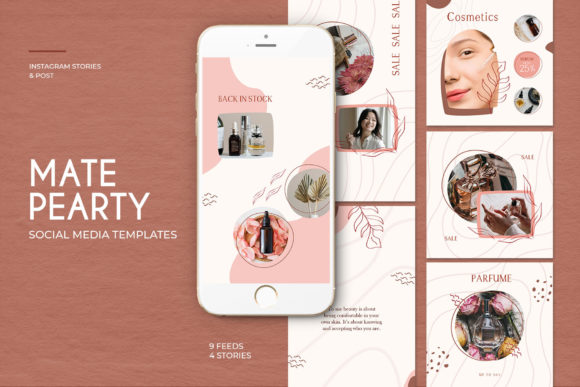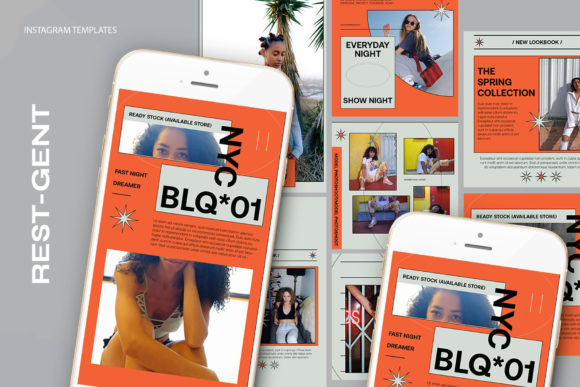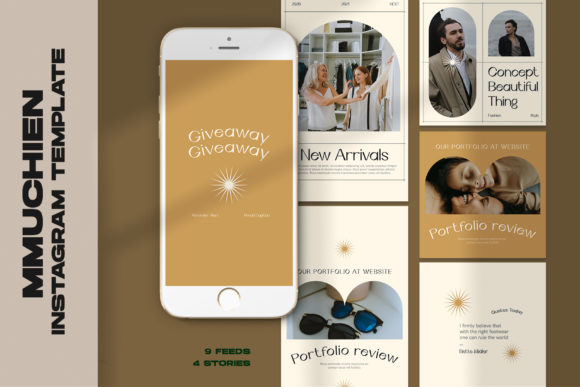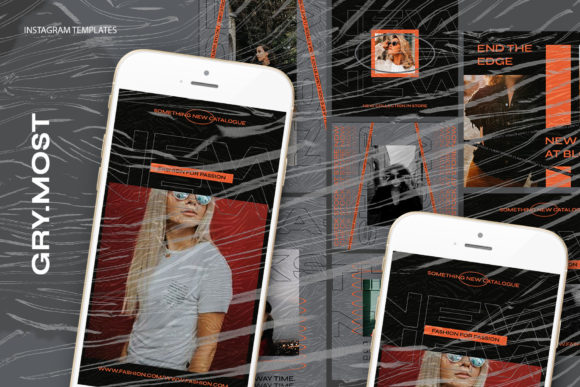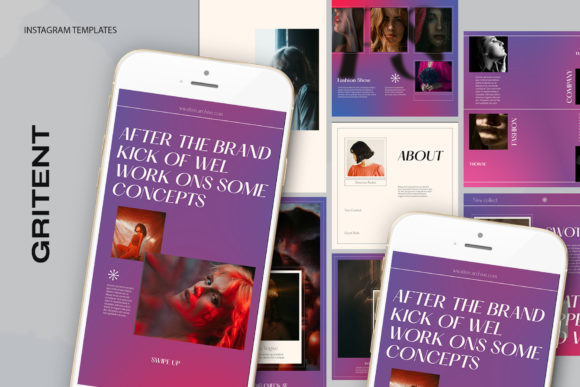
Elevate Your Feed with Gritent Instagram Templates
In the fast-paced world of social media, consistency is often the difference between a scrolling audience and an engaged community. For creators, marketers, and small business owners, the pressure to produce high-quality visuals daily can be overwhelming. This is where Gritent Instagram Templates steps in as a practical solution for maintaining a professional aesthetic without sacrificing hours of design time. These resources are not just about saving time; they are about unlocking a level of polish that might otherwise require a dedicated graphic design team.
The core appeal of this collection lies in its balance of flexibility and structure. You get a solid foundation—a professionally designed layout—that you can instantly adapt to your brand voice. Whether you are launching a new product, sharing educational tips, or documenting a journey, having a reliable template system allows you to focus on the message rather than struggling with alignment and typography.
Streamlined Workflow for Busy Creators
One of the most significant barriers to consistent posting is the technical friction involved in creating graphics from scratch. Gritent addresses this by providing files that are incredibly intuitive to use. The package includes a PSD file built with smart objects, a feature that transforms the editing process from a chore into a seamless task.
Imagine needing to update your feed with a new photo every morning. With these templates, the process is straightforward:
- Open the File: Launch the PSD in Adobe Photoshop.
- Locate the Smart Object: Find the image layer within the group.
- Double-Click the Icon: Click twice on the layer thumbnail to open the smart object window.
- Insert Your Image: Paste or place your own photograph into this new window.
- Save and Update: Press CTRL + S (or Command + S on Mac), and your main design updates instantly with your image perfectly masked and scaled.
This "double-click and save" workflow eliminates the need to manually resize crops or worry about ruining the original composition. It ensures that every image you upload fits the design intent precisely, maintaining the visual integrity of the template while showcasing your unique content.
Technical Precision for Professional Results
While ease of use is vital, the technical specifications of a design asset determine how it looks on screen and in print. Gritent Instagram Templates are engineered with high standards to ensure crisp, clear visuals across all devices. The files are set to 300 DPI (dots per inch), which is the industry standard for high-resolution output. While social media platforms compress images, starting with a 300 DPI source ensures that your graphics retain sharpness and detail, avoiding the pixelated look that can undermine credibility.
The color mode is set to RGB, optimizing the files specifically for digital screens. This ensures that the colors you see on your monitor are vibrant and accurate when viewed on smartphones, tablets, and desktops. Furthermore, the templates come in versatile dimensions, including 1200 x 1200 px for classic square posts and 1920 x 1080 px for stories or landscape formats. This versatility means you aren't locked into a single format; you can adapt a single campaign across different areas of your social presence effortlessly.
Customization Without Limits
A common misconception about using templates is that they make everyone's content look identical. However, the true power of Gritent lies in its editability. Every text element is fully editable using the standard text tool. This means you are not stuck with generic placeholder copy. You can change fonts, adjust sizing, modify leading and kerning, and alter colors to match your specific brand guidelines.
For a freelance photographer, this might mean swapping a bold sans-serif header for an elegant serif to match a wedding portfolio. For a tech startup, it could involve switching to a monospaced font to convey a coding aesthetic. Because the text is live and editable, you have complete control over the hierarchy of information, ensuring your call-to-action stands out or your caption remains legible against complex backgrounds.
Adapting Templates for Diverse Goals
The utility of these templates extends far beyond a single industry. Their neutral yet polished design allows for a wide range of interpretations and applications.
For Entrepreneurs and Small Business Owners:
Use the 1200 x 1200 px format to showcase product features. The high resolution ensures that texture and detail in your product photography are preserved. You can create a series of posts highlighting customer testimonials, behind-the-scenes manufacturing processes, or limited-time offers. The consistency provided by the template builds brand recognition, making your feed instantly identifiable to potential customers.
For Educators and Coaches:
The clean layout is perfect for carousel posts or single-image infographics. Use the editable text fields to break down complex concepts into bite-sized tips. The structured design helps organize information logically, guiding the viewer's eye through the lesson. Whether you are teaching language skills, fitness routines, or financial literacy, a professional layout adds authority to your advice.
For Bloggers and Influencers:
Lifestyle content thrives on aesthetics. These templates allow you to frame your personal photos in a way that feels curated rather than casual. You can use the 1920 x 1080 px size for YouTube thumbnails or Instagram Stories, creating a cohesive visual narrative that spans multiple platforms. The ability to quickly swap images means you can react to trends in real-time without compromising your visual style.
Maintaining Originality Within a Framework
To keep your content feeling fresh and original while using a template, focus on the variables you control: photography, color grading, and copy. Since the structural elements are fixed, your unique voice must come through the image selection and the words you choose.
- Photography Style: Even if the frame is the same, a moody, low-light photo creates a completely different vibe than a bright, airy shot. Curate your images to reflect your specific mood.
- Color Adjustments: While the template has default colors, don't be afraid to shift hues to match seasonal campaigns or specific product launches.
- Copywriting: Use the text space to tell stories. A template provides the stage, but your words provide the performance.
It is important to remember that the images shown in the preview are not included in the download. This is intentional, encouraging you to populate the designs with your own authentic visuals. Using stock photography can work in a pinch, but original photography always resonates more deeply with audiences. The template is merely the vessel; your content is the cargo.
Building a Sustainable Content Strategy
Ultimately, tools like Gritent Instagram Templates are about sustainability. Burnout is a real risk for anyone managing a social media presence. By reducing the time spent on technical design decisions, you free up mental energy for strategy, engagement, and creation. You can batch-create a month's worth of content in a single afternoon, knowing that the technical quality is already guaranteed.
The organized nature of the PSD file, with its grouped layers and logical naming conventions, also serves as a learning tool. As you work with the file, you gain a better understanding of how professional designs are constructed. This can inspire you to experiment further, perhaps modifying the templates slightly or applying similar principles to other design projects.
In a digital landscape crowded with noise, clarity and consistency win. Gritent Instagram Templates offer a grounded, practical approach to achieving that clarity. They provide the structure needed to look professional while leaving ample room for your creativity to shine. Whether you are a seasoned designer looking to speed up your workflow or a beginner eager to elevate your brand, these assets provide the reliable foundation necessary to grow your online presence effectively.